Provisional Sums, PC Sums and Contingencies in a BOQ: What to Price and What to Leave Alone
 BoqCalc Team
Most lines in a Bill of Quantities ask you for a rate. A few don't: they already carry an amount, written by the client's quantity surveyor, with wording like "Allow the provisional sum of 50,000 for...". It is tempting to copy those figures across and move on. That is mostly right, but the lines around them are where bidders routinely lose money.
This guide explains the main kinds of client-stated sums, what you must still price, and how to avoid the common mistakes.
Why BOQs Contain Fixed Sums at All
At tender stage, some work simply isn't designed yet, or will be carried out by a specialist the client chooses later, or depends on conditions nobody can know in advance. The client still needs every bid to cover it, and needs bids to be comparable. So instead of asking each bidder to guess, the BOQ states a fixed amount that every bidder includes unchanged.
Because every bidder carries the same figure, these sums don't decide who wins. What does is how you price the items connected to them.
Provisional Sums
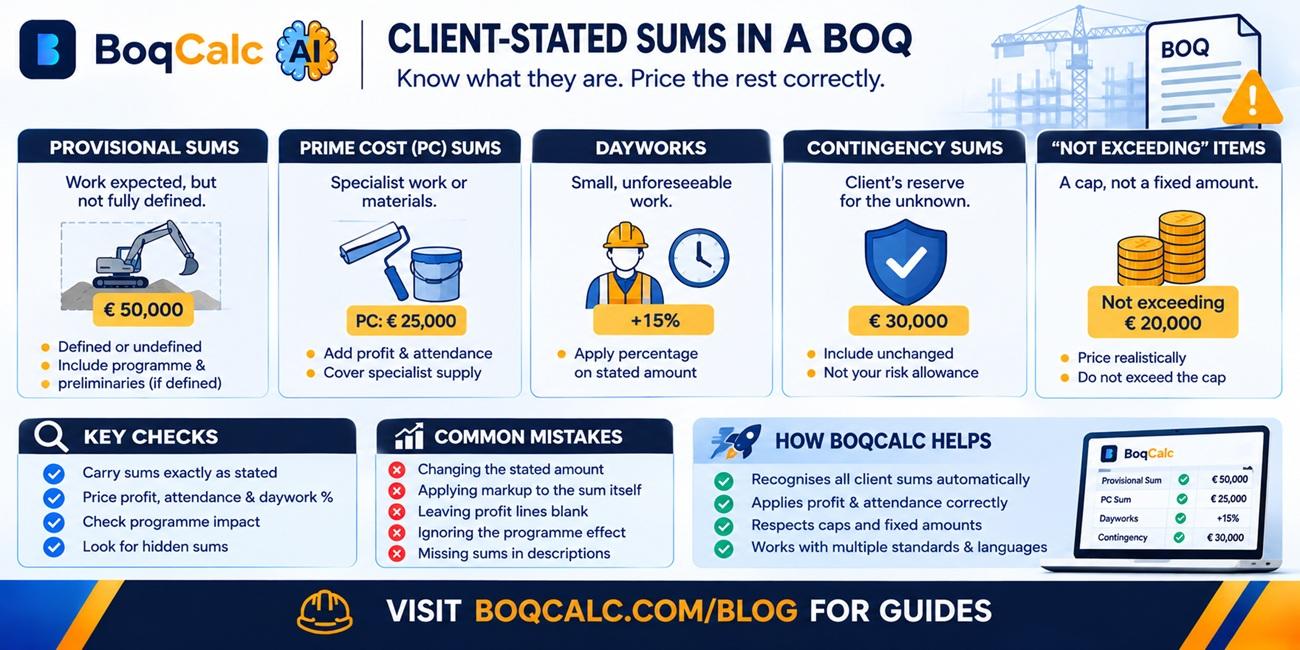
A provisional sum covers work that is expected but can't be fully described or measured at tender stage. Typical examples: landscaping not yet designed, a utility connection whose cost depends on the utility company, or repairs that can only be assessed once the existing structure is opened up.
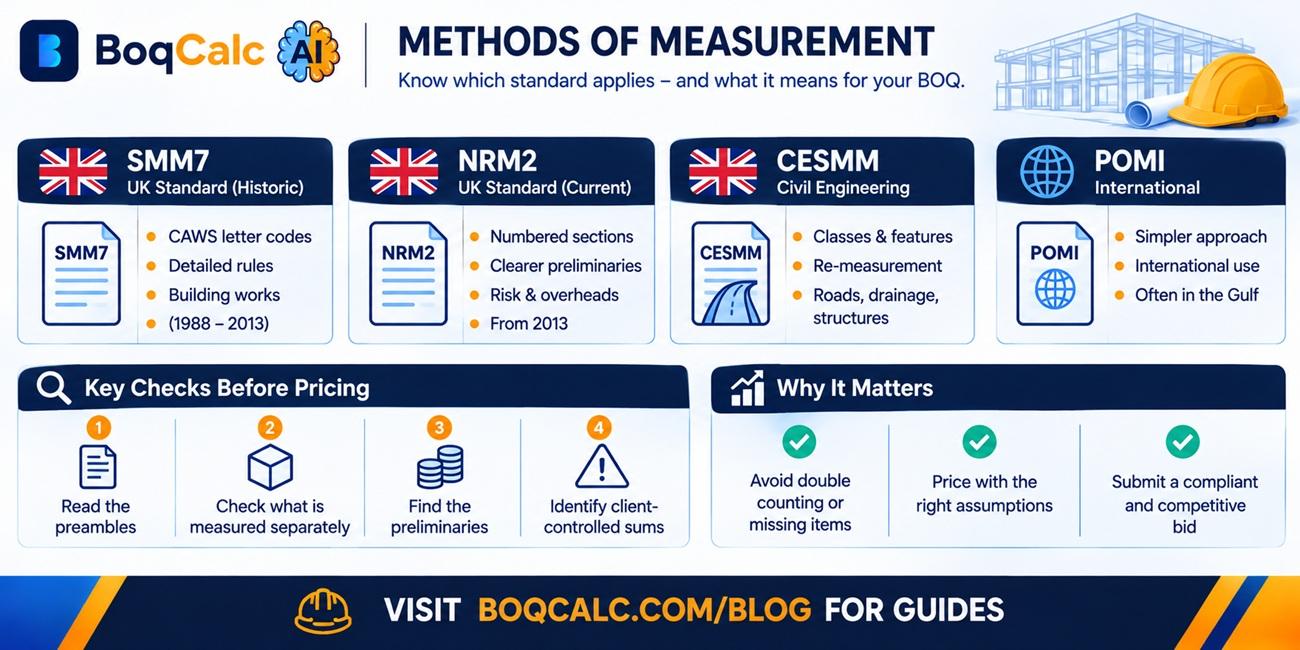
Under the UK methods of measurement (SMM7 and its successor NRM2), provisional sums come in two kinds:
- Defined provisional sums: the work is described well enough (its nature, rough quantity, how and where it will be done) that the contractor is deemed to have allowed for it in the programme, planning and preliminaries.
- Undefined provisional sums: the work can't be described in that much detail, so the contractor is not deemed to have allowed for it in the programme, and may be entitled to extra time and preliminaries when it is instructed.
When the work is actually instructed, the provisional sum is removed from the contract sum and replaced with the value of the work done. It might end up higher or lower.
What to check when pricing: if a provisional sum is defined, its effect on your programme and preliminaries is your risk. A large defined provisional sum for, say, external works can add weeks to the job, and those weeks of site costs need to be in your preliminaries.
Prime Cost (PC) Sums
A prime cost sum is an amount for work or materials to be supplied by a specialist subcontractor or supplier chosen by the client, traditionally called a nominated subcontractor or nominated supplier. Nomination is used less in modern UK contracts, but PC sums remain common in BOQs in many markets, including Africa, the Gulf and South Asia.
A PC sum line is usually followed by items the bidder does price:
- Profit: a percentage on the PC sum, for example "Add for profit ___ %".
- General attendance: the contractor's general facilities that the specialist will use, such as access, welfare, storage space and site services.
- Special attendance: anything specific to that specialist, such as scaffolding, hoisting, power, or builder's work in connection with their installation.
These small lines are easy to leave empty, or to price at a token figure. On a BOQ with several large PC sums, profit and attendance can add up to a meaningful share of your margin. A blank line usually means you have agreed to provide that service for nothing.
Dayworks
A daywork provision covers small, unforeseeable work that will be paid on a time-and-materials basis. The BOQ usually states a provisional amount for daywork labour, materials and plant, and asks the bidder to state a percentage addition on each.
That percentage is your margin and overheads on any daywork the client instructs. Too low and daywork becomes loss-making work you can't refuse. Too high and, on some evaluations, it affects the comparison of bids.
Contingency Sums
A contingency is the client's reserve for the unknown: the risk that something goes wrong or changes that nobody planned for. It is usually carried in the BOQ as a fixed sum or a percentage, it belongs to the client, and it is only spent when the client's representative instructs work against it.
Bidders include it unchanged. Don't treat it as a pot that covers your own pricing risk; your risk allowance belongs in your rates and preliminaries.
"Not Exceeding" Items
Some BOQ items set a ceiling rather than a fixed amount: for instance, an allowance for a specific item "not exceeding" a stated figure. Here the bidder prices the work, but the price can't go above the cap. If your honest estimate is higher than the cap, that is a signal to raise a query with the client before tender, not to quietly absorb the difference.
Common Mistakes
Changing the stated amount. Provisional sums, PC sums and contingencies must be carried at exactly the figure given. Changing them can make a bid non-compliant.
Applying your markup to the sum itself. Your profit on a PC sum goes in the profit line, not by uplifting the sum. Applying your general risk or overhead percentage on top of client sums inflates the bid for no reason and makes it less competitive.
Leaving profit and attendance blank. As above, an empty line is a commitment to do that work for free.
Ignoring the programme effect. A defined provisional sum is in your programme whether you priced its time or not.
Missing sums hidden in descriptions. Not every client sum sits on its own clearly labelled line. Some are buried in long item descriptions, sometimes in other languages on international tenders. Miss one and your total will be short of what the client expects to see.
How BoqCalc Handles Client Sums
BoqCalc recognises client-stated amounts in the item text, including provisional sums, prime cost sums and "not exceeding" caps, in multiple languages. Stated sums are carried at exactly the figure given, without any risk markup. Caps are respected, so a priced item never exceeds its stated limit. Where a line asks for a percentage for profit or attendance on the sum above it, that percentage is applied to the right base. The measured work around these sums is priced from local market rates for the project's country, and everything can be reviewed before export.
For the risks that sit inside the measured work itself, see our guide to construction tender risk analysis. For how the rest of the BOQ gets priced, read BOQ pricing.
Frequently Asked Questions
Can I change a provisional sum in my bid? No. Provisional sums are fixed by the client so every bid carries the same amount. Change it and the bid may be treated as non-compliant.
What is the difference between a provisional sum and a PC sum? A provisional sum covers work that isn't fully defined yet. A PC sum covers work or materials from a specialist the client selects. Both are fixed amounts, but a PC sum usually comes with profit and attendance lines that the bidder prices.
Is a contingency the same as a provisional sum? Not quite. Both are client-controlled and only spent on instruction, but a contingency covers unforeseen risk in general, while a provisional sum covers specific work that is expected but not yet defined.
What happens to unspent provisional sums? At the final account, the provisional sum is omitted and replaced with the actual value of the work instructed. If nothing was instructed, it is omitted entirely and the contract sum goes down.
Conclusion
Client-stated sums are the lines in a BOQ you shouldn't change, but they are rarely the lines you can ignore. Carry the sums exactly, price the profit, attendance and daywork percentages that come with them, and make sure the programme and preliminaries reflect the work they represent.
BoqCalc Team
From the BoqCalc team
Ready to price your next BOQ?
4 free credits, no credit card. Upload a BOQ and see the cost estimate, risk analysis, schedule, and cash flow for yourself.
Try BoqCalc free →