Excel vs AI BOQ Software: Where the Spreadsheet Stops Being Enough
 BoqCalc Team
Excel is still how most construction companies price a Bill of Quantities, and that's not really a mystery. It's flexible, everyone already knows it, and it costs nothing extra to use. The question worth asking isn't whether Excel is bad. It's where it stops being enough, and what an AI-based BOQ tool actually adds once you're past that point.
What Excel Genuinely Does Well
Fair starting point: Excel earns its place in construction estimating for real reasons.
- Total flexibility. Any column, any formula, any layout: nothing is locked down.
- Zero learning curve for most teams. Every estimator already knows it; no onboarding needed.
- No dependency on a vendor. The file is yours, offline-capable, and works the same in five years as it does today.
- Fine for small, simple projects. A 40-line renovation BOQ in Excel is genuinely not a problem worth solving with software.
None of what follows is an argument that Excel is a bad tool. It's an argument that it's a general-purpose tool being asked to do a specialized job once a project gets big enough, and specialized jobs are where general-purpose tools start costing more time than they save.
Where Excel Actually Breaks Down
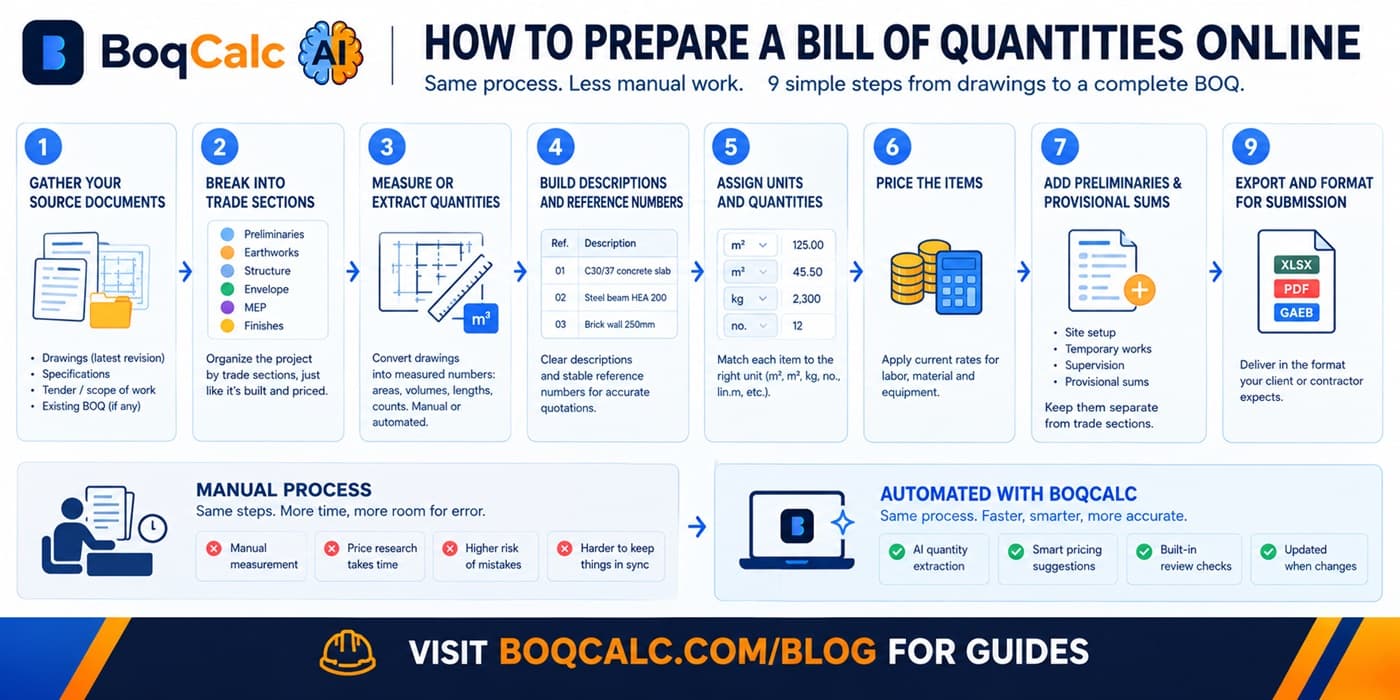
Quantities don't extract themselves. Excel has no idea what's in your PDF drawings or specifications. Every quantity gets typed in by hand, which is both the slowest part of estimating and the part most prone to simple transcription error.
Pricing goes stale silently. A rate typed into a cell six months ago looks exactly as confident as one typed in yesterday. Nothing in the spreadsheet tells you it's out of date. You find out when a supplier quote comes back higher than what you bid.
There's no risk layer. Excel will happily let a vague or incomplete line item sit next to a well-specified one with no distinction. Catching a missing waterproofing spec or an unpriced provisional sum depends entirely on someone noticing, not on the tool.
Formulas break silently. A dragged formula that didn't quite copy right, a cell reference that shifted after an inserted row: these produce a wrong number that looks exactly like a right number until someone checks the math by hand.
Version control is a filename. BOQ_v3_final_ACTUAL.xlsx is a cliché because it's universal. Once a BOQ is shared across a team or revised against multiple drawing issues, tracking which version is current becomes its own manual task.
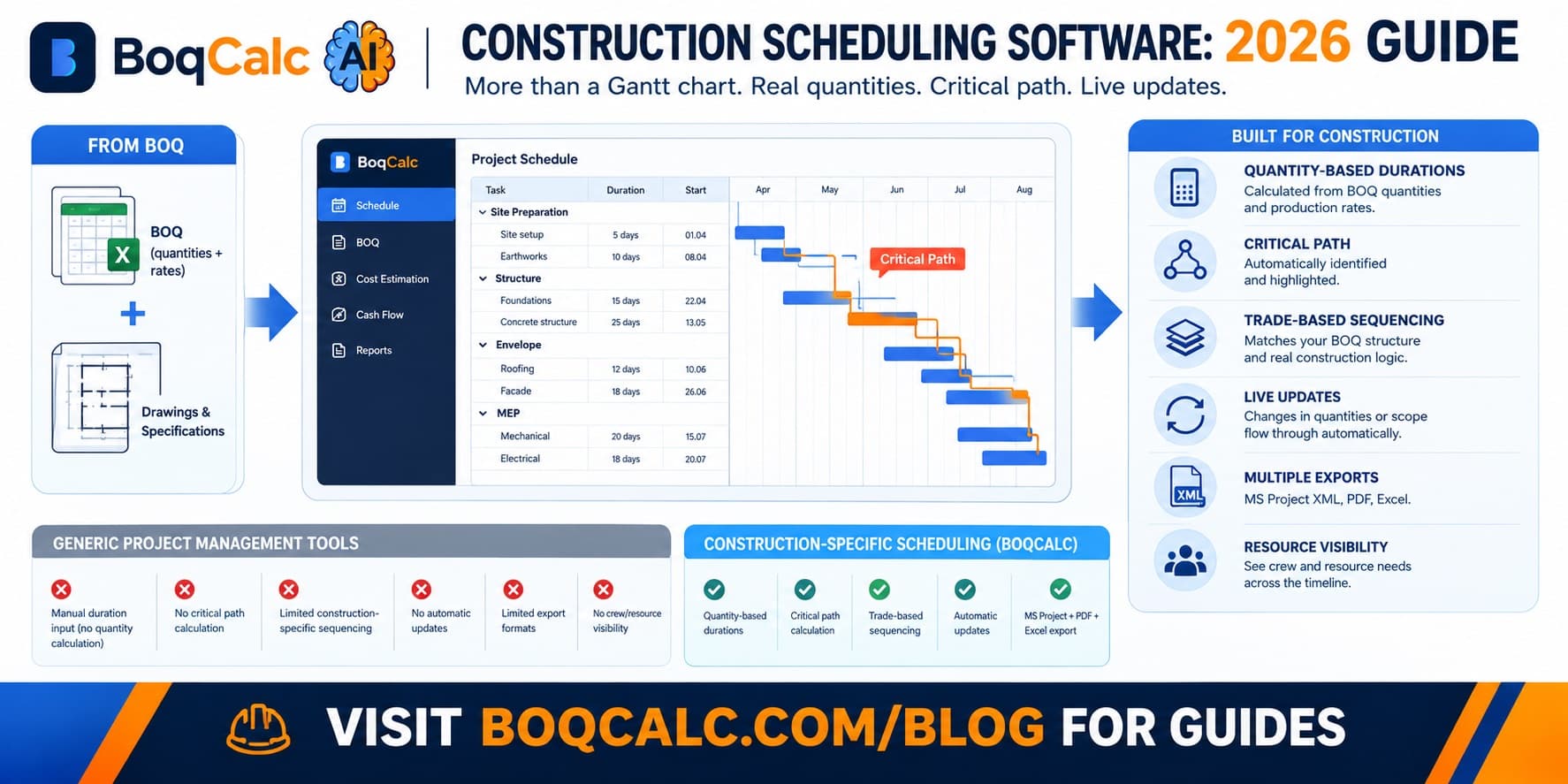
Schedule and cash flow live in separate files. Pricing, scheduling, and cash flow forecasting usually end up as three disconnected spreadsheets that have to be manually kept in sync every time the project changes, which in practice means they drift apart.
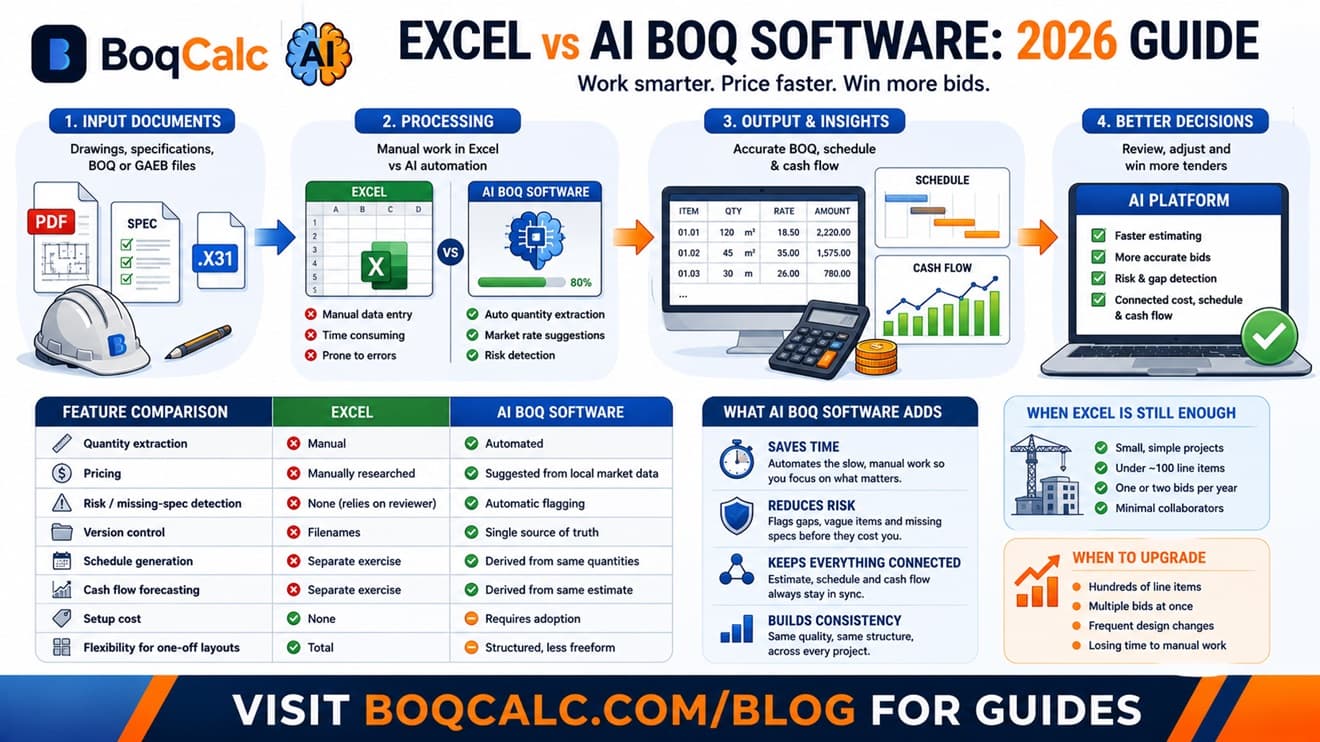
Feature Comparison
| Excel | AI BOQ Software | |
|---|---|---|
| Quantity extraction from PDF/drawings | Manual | Automated |
| Pricing | Manually researched | Suggested from local market data |
| Risk / missing-spec detection | None (relies on the reviewer) | Automatic flagging |
| Version control | Filenames | Single source of truth |
| Schedule generation | Separate exercise | Derived from the same quantities |
| Cash flow forecasting | Separate exercise | Derived from the same estimate |
| Setup cost | None | Requires adoption |
| Flexibility for one-off layouts | Total | Structured, less freeform |
That last row matters. The tradeoff is real. You give up some raw flexibility in exchange for automation and consistency. For a one-off, unusual project structure, that tradeoff sometimes isn't worth it. For repeat estimating work across many similar projects, it usually is.
What AI BOQ Software Actually Adds: Beyond Just Being Faster
The easy pitch is "it's faster," and it is, but speed alone undersells what actually changes:
The estimator's job shifts from data entry to review. Instead of spending most of a day typing quantities and hunting prices, the estimator spends that time deciding whether a suggested price makes sense for this specific job, which is the part of estimating that actually requires judgment.
Risk detection happens by default, not by discipline. A missing specification gets flagged automatically instead of depending on whoever happens to review the BOQ that week catching it.
Pricing, schedule, and cash flow stay connected. Because they're derived from the same underlying quantities instead of three separately maintained files, they don't drift out of sync every time the project scope changes.
Consistency scales with volume. Every estimate follows the same structure and quality bar, regardless of who prepared it or how much time pressure they were under that week, which matters a lot once a company is running multiple bids in parallel.
When Excel Is Still the Right Call
Worth being honest about this: if you're estimating one or two small projects a year, with a BOQ under a hundred lines, the setup and adoption cost of new software genuinely isn't worth it. Excel wins on projects that small.
The calculation changes once you're regularly bidding on projects with hundreds of line items, bidding on multiple tenders at once, or losing real time to the manual parts of the process: extraction, price-hunting, and cross-checking, rather than the parts that actually require an estimator's judgment.
How BoqCalc Fits In
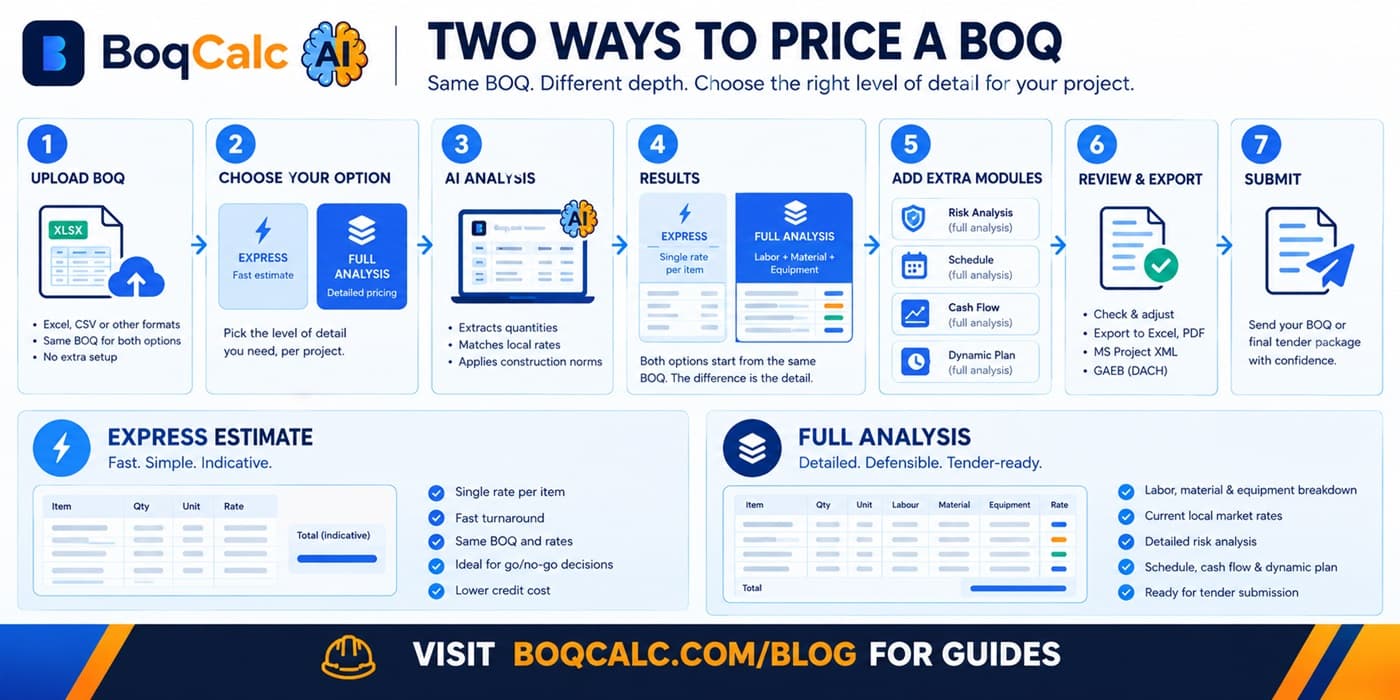
BoqCalc keeps the part of the workflow that matters: reviewing and adjusting the numbers, while automating the part that doesn't: extracting quantities from uploaded documents, suggesting current local pricing, flagging risk, and generating a schedule and cash flow from the same data instead of three separate files. It exports back to Excel when that's still useful downstream, so switching isn't all-or-nothing.
For a closer look at how the automation itself works, see our guide to AI BOQ estimation.
Frequently Asked Questions
Do I have to give up Excel entirely to use AI BOQ software? No. Most platforms, including BoqCalc, export back to Excel format, so it can still be your delivery format even if it's no longer your working file.
Is AI estimating accurate enough to trust without checking? It's meant to be reviewed, not trusted blindly, same as a junior estimator's first pass would be. The value is that the starting point is faster and more consistently checked for gaps than a manual first pass typically is.
What size project justifies switching from Excel? There's no hard line, but once a BOQ regularly runs into the hundreds of line items, or you're bidding on multiple tenders at once, the manual overhead in Excel usually starts outweighing the setup cost of a dedicated tool.
Does switching mean retraining the whole team? Less than expected. The underlying concepts (line items, units, rates, sections) are the same. What changes is who fills them in first, not what the estimator needs to know.
Conclusion
Excel isn't wrong for construction estimating. It's just a general-purpose tool being asked to do an increasingly specialized job as projects and bid volume grow. The honest dividing line isn't "Excel bad, AI good." It's whether the manual work Excel demands: extraction, price-hunting, risk review, keeping three files in sync, is still a good use of an estimator's time on the projects you're actually bidding today.
BoqCalc Team
From the BoqCalc team
Ready to price your next BOQ?
4 free credits, no credit card. Upload a BOQ and see the cost estimate, risk analysis, schedule, and cash flow for yourself.
Try BoqCalc free →