AI BOQ Estimation: How Contractors Save 80% Time Using Automation
 BoqCalc Team
Construction projects live or die based on accurate cost estimation. The Bill of Quantities (BOQ) has always been the foundation of project planning, yet most companies still rely on manual spreadsheets, PDF-hunting, and outdated price lists to build one.
AI BOQ estimation changes that math. Instead of an estimator spending 15–25 hours manually extracting quantities, cross-checking prices, and assembling a bid, an AI system reads the project documentation and produces a structured, priced BOQ in minutes, with the estimator reviewing and adjusting rather than building from scratch.
Why Traditional BOQ Estimation Fails
Manual estimation introduces problems that compound as projects get bigger:
- Hours spent copying line items out of PDFs and drawings into spreadsheets
- Calculation and unit-conversion errors that surface only after submission
- Material and labor prices that are already outdated by the time the bid goes out
- No systematic way to flag missing specifications or scope gaps before they become change orders
Estimators often spend days preparing a single tender, only to discover pricing mistakes after submission, when it's too late to fix them without eating into the margin. In competitive bidding environments, that directly decides which companies stay profitable.
What Is AI BOQ Estimation?
AI BOQ estimation uses machine learning models trained on real construction data to automatically extract, structure, and price quantities from uploaded documentation: drawings, specifications, tender files, or a partially-filled BOQ.
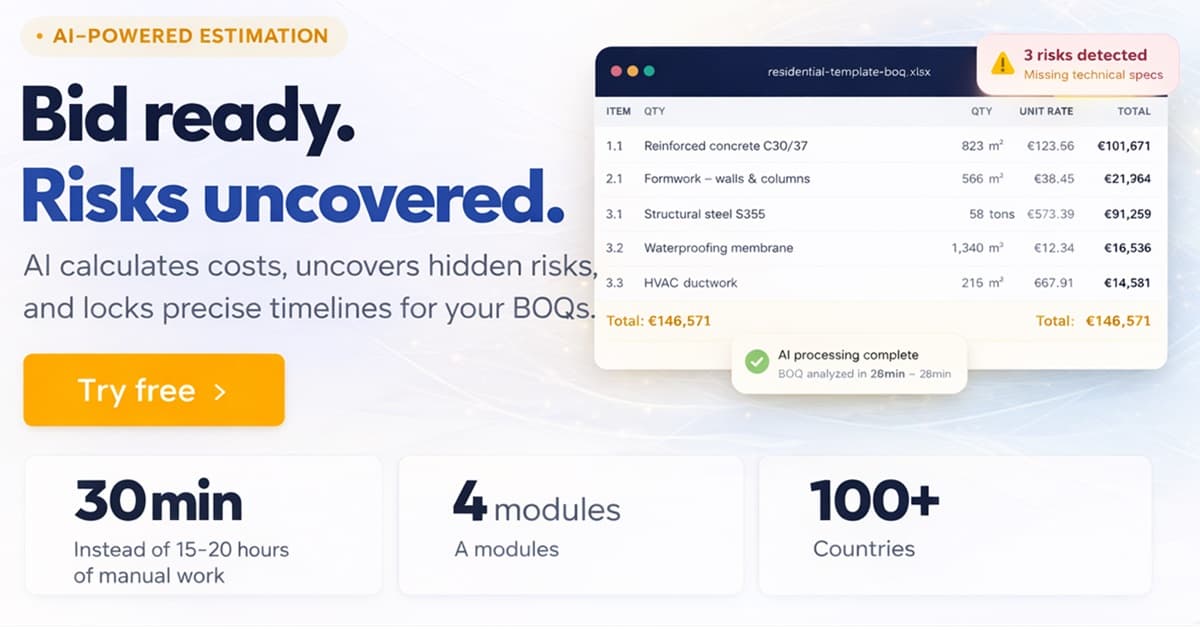
Instead of building a spreadsheet by hand, a contractor uploads the project files and gets a structured cost breakdown back, typically within 30 minutes for a full tender package.
BoqCalc was built specifically to solve this problem, with local market pricing covering more than 40 countries.
How BoqCalc Automates Construction Estimation
BoqCalc runs a guided AI workflow designed around how estimators actually work:
1. Automatic Quantity Extraction
Upload a PDF or Excel BOQ and the AI detects items, quantities, units, and descriptions, including ones a human might skim past in a 500-row document.
2. Intelligent Cost Suggestions
The system recommends labor and material pricing based on local market data and real project patterns, not a static price list from last year.
3. Built-In Risk Analysis
AI evaluates documentation completeness and project complexity, flagging vague or missing specifications and suggesting safety coefficients so you don't underbid on hidden work.
4. Structured, Exportable Output
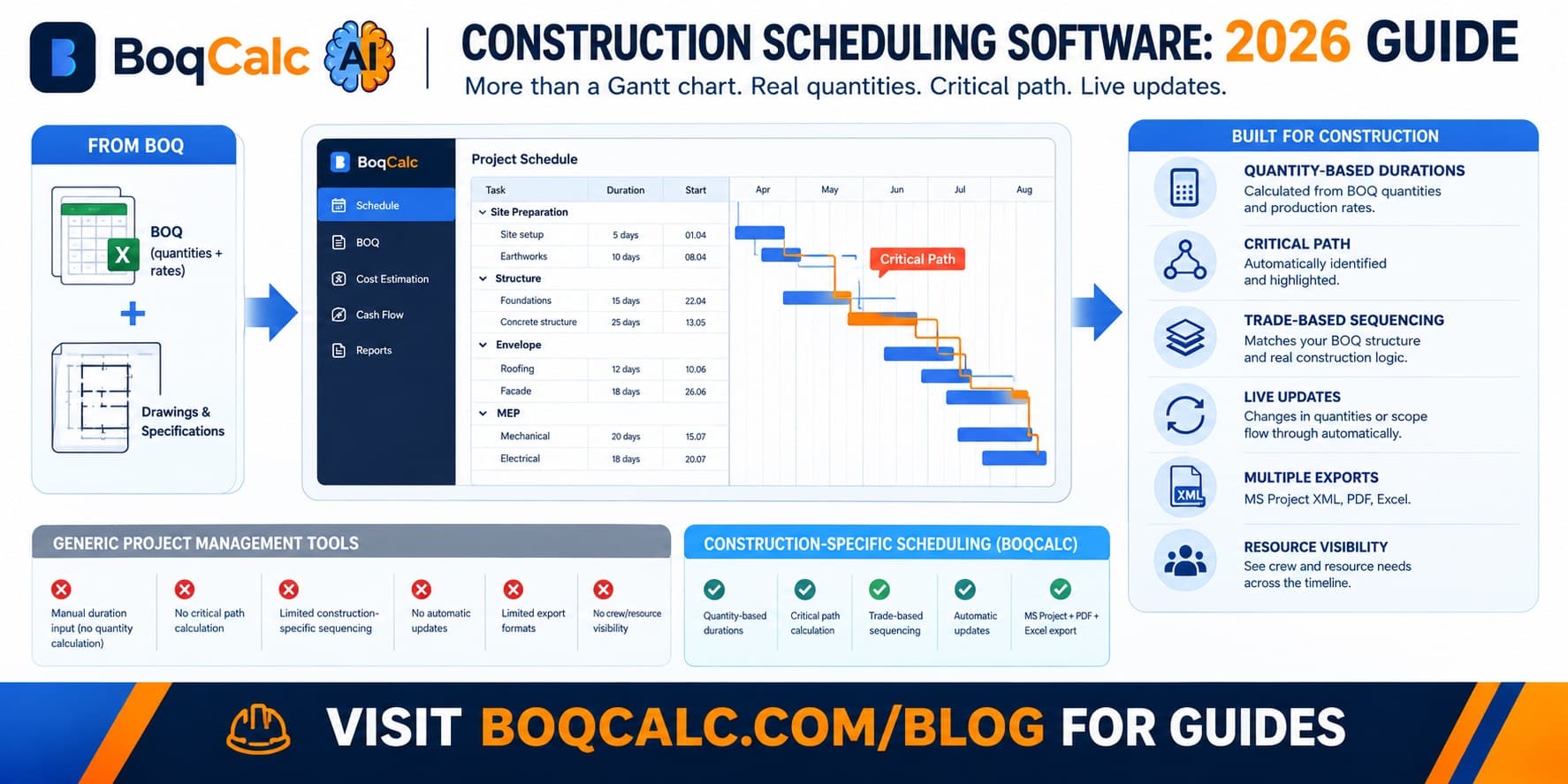
The finished BOQ exports to PDF, Excel, or MS Project, ready for submission or internal review, with pricing, schedule, and cash flow already connected instead of built as three separate exercises.
BoqCalc acts like a digital estimator, working in minutes instead of days.
What a Typical Estimate Looks Like: Before and After
Take a mid-sized commercial fit-out with a 400-line BOQ. The manual version usually goes like this: an estimator spends a day re-typing quantities from a PDF into Excel, another half-day chasing current material prices from suppliers or last quarter's job files, and a final stretch cross-checking totals before the tender deadline. Risk review, if it happens at all, is a quick read-through rather than a systematic check, which is exactly how a missing waterproofing spec or an unpriced provisional sum slips through.
The AI version compresses that into one sitting. The BOQ is uploaded, quantities and units come back structured within minutes, pricing is suggested from current local market data, and the risk pass flags the items that look incomplete or inconsistent before the estimator ever has to go looking for them. The estimator's job shifts from data entry to review: deciding whether a suggested price makes sense for this specific job, not typing it in from scratch.
That's where the 80% time reduction actually comes from: not a shortcut on judgment, but the removal of the repetitive extraction and cross-checking work that used to eat most of an estimator's week.
What to Look For in AI Construction Cost Estimation Software
Not every "AI-powered" estimating tool does the same job, and the label alone doesn't tell you much. Before picking one, check that it actually covers four things:
- Cost estimation: pricing based on live, local market data, not a hardcoded database that's a year out of date
- Risk analysis: automatic flagging of vague, missing, or inconsistent specifications that otherwise turn into change orders later
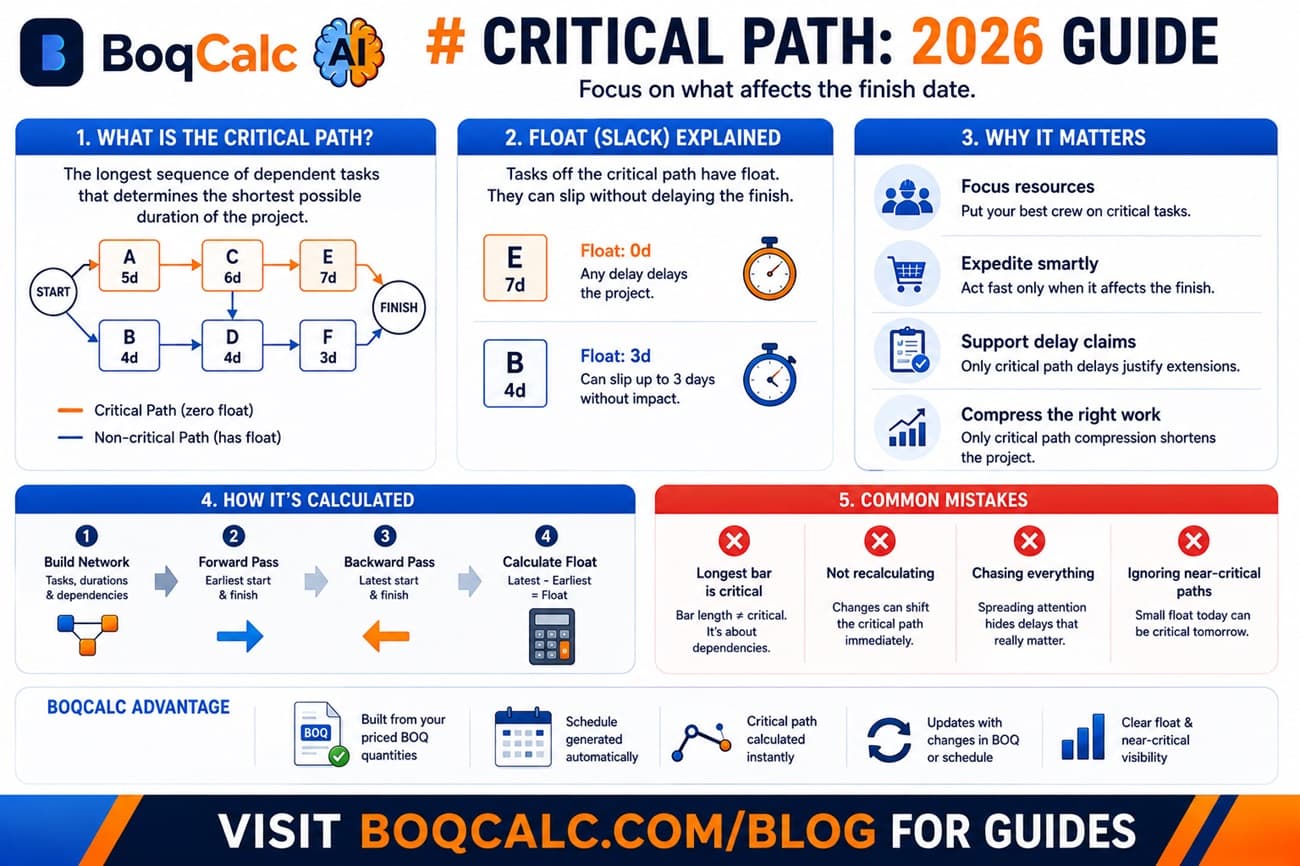
- Dynamic scheduling: a Gantt-style schedule generated from the same quantities and construction norms used for pricing, not a separate manual exercise
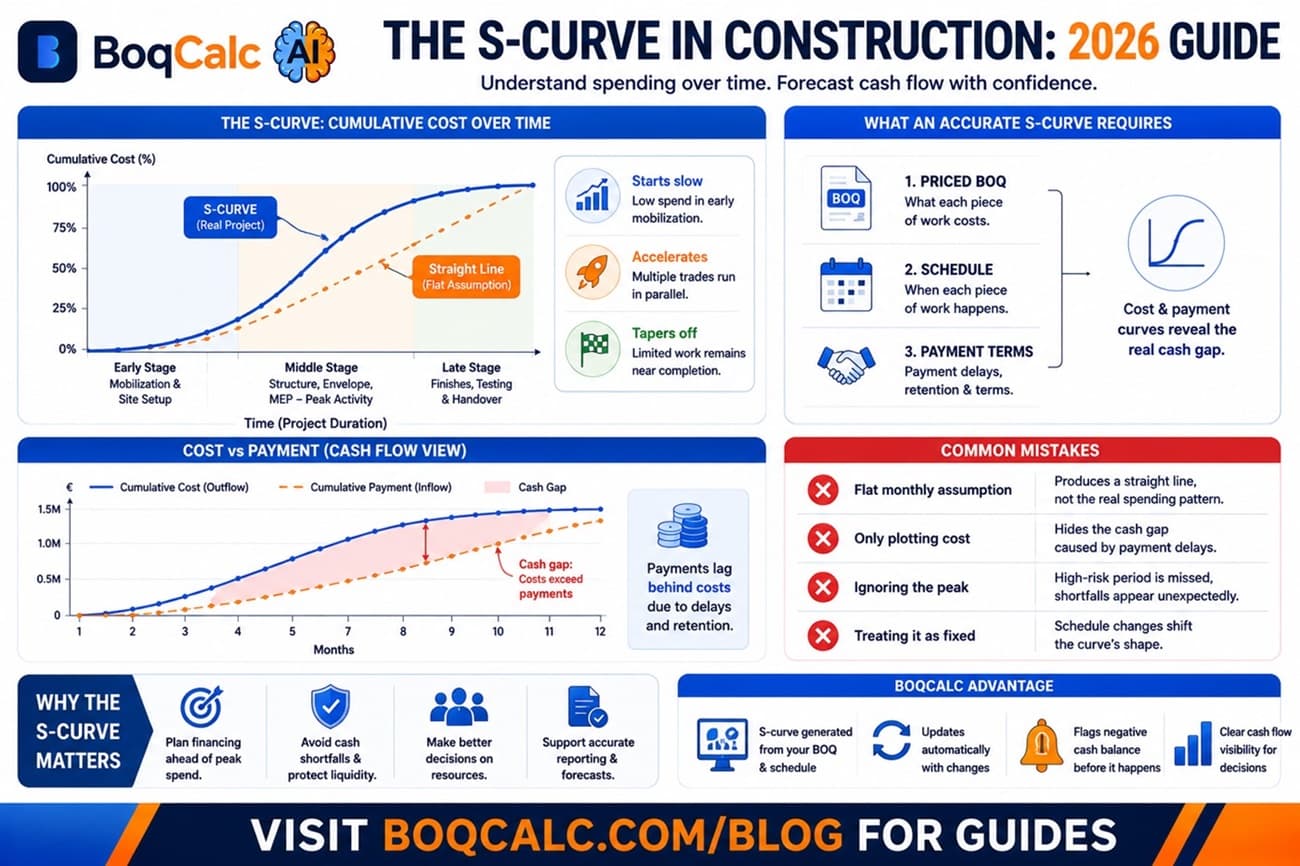
- Cash flow projection: an automatic forecast of when and how much capital you'll need, tied to that same estimate
A tool that only does line-item pricing is really just a faster spreadsheet. The value compounds when estimation, risk, schedule, and cash flow all come from the same underlying data, instead of four disconnected tools that quietly drift apart every time the project changes.
Manual Estimation vs AI Estimation
| Process | Manual | AI Estimation |
|---|---|---|
| BOQ review | Hours to days | Minutes |
| Risk identification | Experience-based, easy to miss | Systematic, flags gaps automatically |
| Schedule creation | Separate task | Auto-generated from the same quantities |
| Pricing updates | Manual re-checking | Live market data |
| Bid capacity | Limited by headcount | Scales without hiring |
Faster, more consistent bids directly increase win probability, not because the price is artificially lower, but because more of an estimating team's time goes into bids they can actually stand behind under scrutiny.
Who Benefits Most
- General contractors juggling multiple simultaneous bids
- Residential builders who need to price renovations and new builds quickly
- Infrastructure firms managing BOQs with thousands of line items across dozens of trades
- Quantity surveyors who want faster verification without giving up control over the final numbers
- Small and mid-sized contractors who want to bid on more tenders without hiring another estimator
Small teams often see the biggest relative gain: a two- or three-person estimating group can't easily hire its way into more bidding capacity, so automating the repetitive 70% of the work has an outsized effect on how many tenders they can chase.
AI vs Excel: A Turning Point
Excel remains a capable calculator, but it was never designed for intelligent estimation. It doesn't read a PDF, doesn't know today's material prices, and doesn't flag a missing waterproofing detail buried on page 40 of a technical specification.
AI-powered tools add automation, pattern recognition drawn from prior projects, and continuously updated pricing: capabilities a spreadsheet, however well-built, simply can't match. Companies adopting AI estimation aren't replacing their estimators' judgment; they're removing the manual data-entry layer that used to consume most of their time.
For the full side-by-side (including a feature comparison table and an honest look at when Excel is still the right call), see our dedicated guide to Excel vs AI BOQ software.
Getting Started in 3 Steps
- Upload your documents. BOQ spreadsheet, PDF drawings, tender specifications: whatever you already have. No reformatting first.
- Review the AI-generated estimate. Quantities, pricing, and flagged risks come back together, not as three separate exports you have to reconcile yourself.
- Adjust and export. Change any price or quantity, add your own margin, and export straight to PDF, Excel, or MS Project for submission.
Most first-time users have a complete, priced BOQ ready to review within 30 minutes of uploading, including the risk flags a manual first pass would likely have missed.
Frequently Asked Questions
Can AI replace construction estimators? No. AI removes the repetitive extraction and cross-checking work so estimators can spend their time on judgment calls (margin, risk appetite, and strategy) instead of data entry.
How accurate are AI-generated estimates? Accuracy depends on the quality of the uploaded documentation, but AI systems built on real market data consistently reduce the manual errors that come from copying numbers by hand across a large BOQ.
What documents does it need? Most platforms, including BoqCalc, accept BOQ spreadsheets, PDF drawings, technical specifications, and tender documentation directly, without any reformatting.
Is this worth it for small contractors? Often more so than for large ones: a small estimating team gets the biggest relative jump in bidding capacity, since it can't easily just hire another estimator to keep pace with a bigger competitor.
Does AI estimation work across different countries and pricing standards? Yes, provided the platform is built for it. BoqCalc's pricing models cover local market data across more than 40 countries rather than a single fixed price book, which matters for contractors bidding across multiple regions.
The Future of Construction Estimating
The industry is shifting from estimation-as-manual-labor to estimation-as-a-data-driven process. Early adopters aren't necessarily bidding lower. They're bidding on more projects, with more confidence in the numbers, because the risk analysis, schedule, and cash flow are already built into the same estimate instead of assembled separately after the fact.
Ready to estimate faster?
BoqCalc Team
From the BoqCalc team
Ready to price your next BOQ?
4 free credits, no credit card. Upload a BOQ and see the cost estimate, risk analysis, schedule, and cash flow for yourself.
Try BoqCalc free →