Free BOQ Template: What to Include and How to Build One That Actually Works
 BoqCalc Team
Every construction bid starts somewhere, and for most contractors that starting point is a blank Bill of Quantities template. Before automation entered the picture, this template, usually an Excel file passed down from project to project, patched and re-patched for years, was the backbone of how a business estimated cost.
A good template still matters, even in an AI-assisted workflow. It's the structure everything else gets built on. Here's what it actually needs, where static templates break down, and when it's worth moving past a spreadsheet entirely.
What a BOQ Template Actually Needs
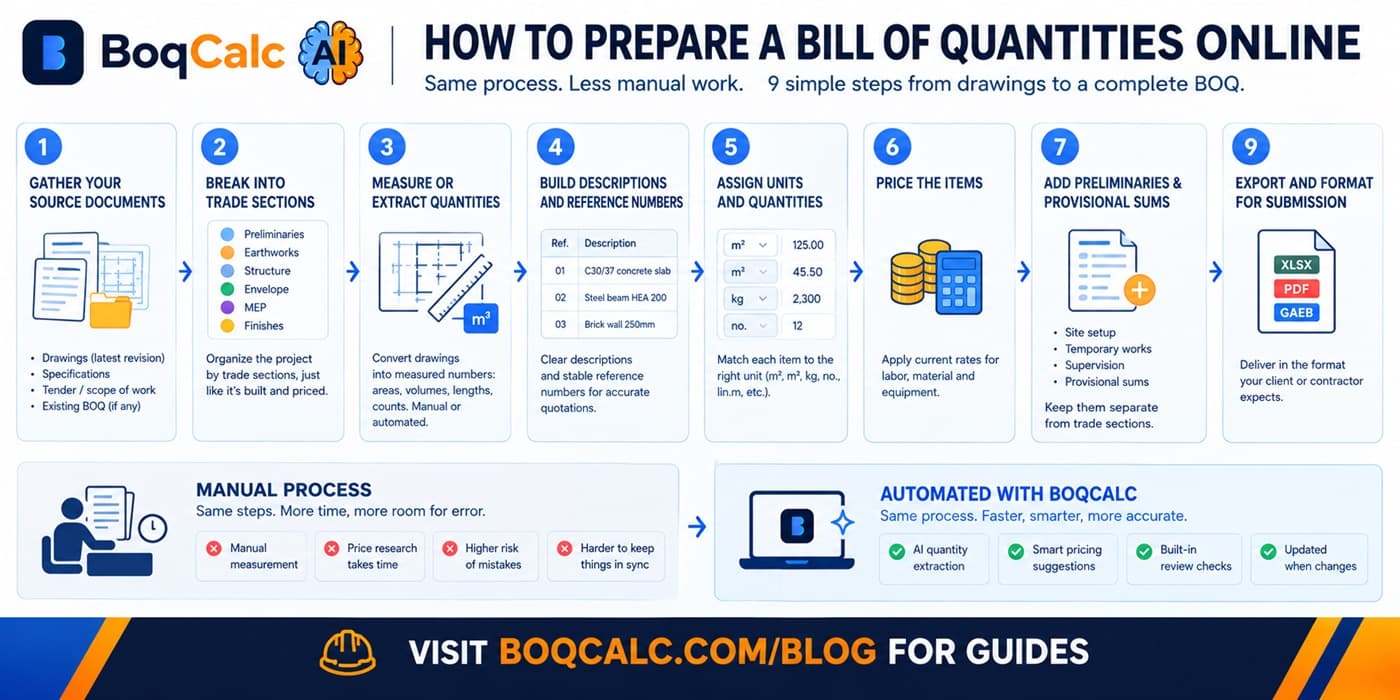
A working BOQ template isn't just a list of rows. At minimum it needs:
- Item reference: a stable code that survives revisions. Drawing changes shouldn't force you to renumber your entire pricing sheet.
- Description: specific enough that a supplier or subcontractor can quote against it without calling you to ask what you meant. "Concrete works" is not a line item; "C30/37 reinforced concrete, ground floor slab, 200mm" is.
- Unit of measurement: m², m³, kg, no., lin.m, matched to how the trade actually prices, not whatever's convenient to type.
- Quantity: measured, not estimated by eye. This is where most pricing errors actually originate, long before any rate gets applied.
- Rate (unit price): labor, material, and equipment, either broken out separately or combined depending on how granular your pricing needs to be for that trade.
- Amount: quantity × rate. The column everyone reads first, and the one that's wrong if any of the above is wrong.
- Section/trade grouping: earthworks, concrete, MEP, finishes, and so on, so a 400-line BOQ stays navigable during pricing, procurement, and later during site execution.
Templates that skip the section grouping are the ones that turn into a 40-minute scroll-and-search exercise the moment a project passes a few hundred lines.
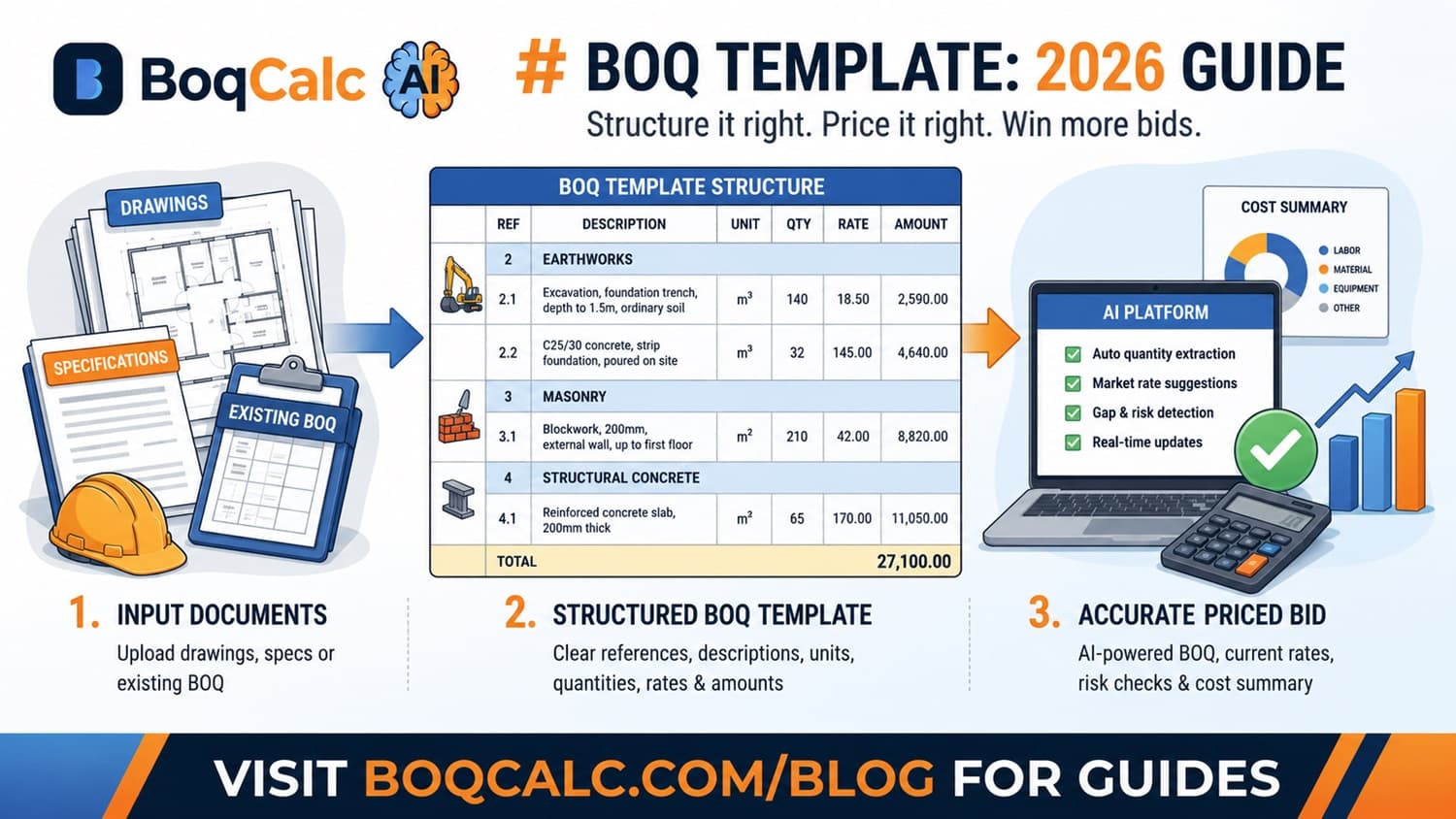
Here's what that looks like as actual rows, not just a list of column names:
| Ref | Description | Unit | Qty | Rate | Amount |
|---|---|---|---|---|---|
| 2.1 | Excavation, foundation trench, depth to 1.5m, ordinary soil | m³ | 140 | 18.50 | 2,590.00 |
| 2.2 | C25/30 concrete, strip foundation, poured on site | m³ | 32 | 145.00 | 4,640.00 |
| 3.1 | Blockwork, 200mm, external wall, up to first floor | m² | 210 | 42.00 | 8,820.00 |
Nothing fancy. The value is in the discipline of every row following the same shape, every time, across every trade section.
A Simple Structure to Start From
For a small to mid-sized project, a usable BOQ template is typically organized as:
- Preliminaries: site setup, temporary works, insurance, mobilization: items that aren't tied to a specific trade but still cost real money.
- Trade sections in construction sequence: earthworks and groundworks first, then structure, then envelope, then MEP, then finishes. Following build sequence rather than alphabetical order makes the document easier to price and easier to check against a schedule later.
- Provisional sums and contingency: a clearly separated section for items that can't be firmly quantified yet (subject to design development, ground conditions, or client decisions still pending). Burying these inside trade sections instead of flagging them separately is one of the more common ways a bid ends up underpriced.
- Summary page: one page that rolls every section up to a total, with subtotals visible per trade. This is what actually gets reviewed before submission; if it's not on one page, it doesn't get properly reviewed.
Common Mistakes in Homemade Templates
A few patterns show up repeatedly in templates built ad hoc rather than adapted from a proven structure:
- Combining unit and description in one cell. "200mm blockwork (m²)" instead of separate Unit and Description columns makes the sheet impossible to filter, sort, or check programmatically later.
- No consistent numbering scheme. Renumbering items after every revision instead of using stable reference codes means old correspondence, supplier quotes, and site queries stop matching the current BOQ within a week of the first change.
- Rates hardcoded without a source note. Six months later, nobody remembers whether a rate came from a supplier quote, a past project, or a guess, which makes it impossible to judge how stale it's gotten.
- One giant flat list instead of trade sections. Workable for 50 items, unworkable for 500.
None of these are hard to avoid once you know to look for them. They just rarely get caught until a bid is already submitted.
Why Static Templates Break Down on Real Projects
A spreadsheet template handles a small, stable project fine. It starts breaking down for predictable reasons:
Quantities don't update themselves. If a drawing revision changes a wall length, nothing in a static template tells you which downstream rows need re-measuring. On a 300+ line BOQ, that's how a design change quietly turns into an underpriced bid.
Pricing goes stale. A rate typed in six months ago for rebar or concrete doesn't reflect today's market. Templates don't expire visibly. They just quietly become wrong.
There's no built-in risk check. A template has no way to flag a vague description, a missing specification reference, or an item that's obviously underscoped compared to similar past projects. That review still has to happen entirely in someone's head.
Version control turns into file names. BOQ_final_v3_ACTUAL_final.xlsx is a familiar joke because it's a familiar problem: templates copied project to project accumulate drift, leftover formulas from a different job, and rows nobody remembers the purpose of.
None of this means the template concept is wrong. It means a static file is the wrong place to keep it once a project gets past a certain size or complexity.
From Template to Priced Bid
The template structure above (reference, description, unit, quantity, rate, amount, grouped by section) is exactly what a BOQ needs whether it's built by hand or generated automatically. The difference AI tools like BoqCalc make isn't the structure; it's what fills it in and checks it.
Upload a drawing set, a specification, or even a partially-filled BOQ, and the same structure gets populated automatically: items extracted, quantities measured, current market rates suggested, and gaps or vague specifications flagged before they turn into a pricing mistake. The template stops being a static file you maintain and becomes the output of a process that updates itself every time the input documents change.
For more on how that automated pricing step works in practice, see our guide to AI BOQ estimation.
Frequently Asked Questions
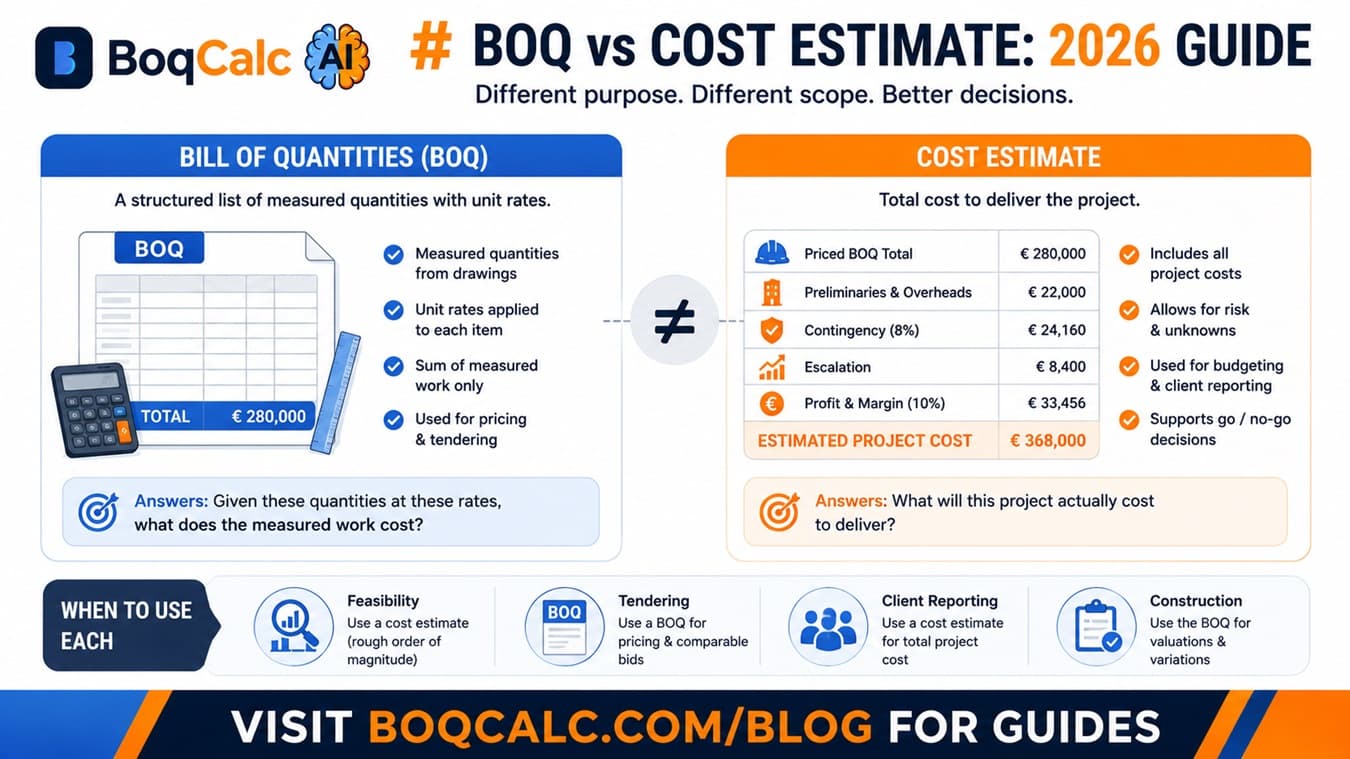
Is a free BOQ template enough for a real bid? For a very small, simple project, a well-built template can be enough. For anything with a few hundred line items or a real deadline, the manual maintenance (re-measuring after revisions, chasing current prices, catching missing specs) usually costs more time than it saves.
What's the difference between a BOQ and a quantity takeoff? A quantity takeoff measures the quantities. A Bill of Quantities organizes those quantities into a structured, priced document ready for tender. The takeoff feeds the BOQ, not the other way around.
Should provisional sums go inside trade sections or in their own section? Their own section. Burying an unquantified item inside a trade section makes it easy to accidentally price it as if it were firm, which is exactly how contingency gets forgotten.
Can I start with a spreadsheet template and move to automation later? Yes. The column structure above transfers directly. Most contractors who switch aren't rebuilding their approach to a BOQ, just changing what fills in the rows and what checks them before submission.
Conclusion
The template itself was never really the problem: a clear reference, description, unit, quantity, rate, and section structure has worked for decades. What breaks down is maintaining that structure by hand as projects get bigger, revisions pile up, and prices move. Getting the structure right is step one; not having to re-do it manually every time something changes is step two.
BoqCalc Team
From the BoqCalc team
Ready to price your next BOQ?
4 free credits, no credit card. Upload a BOQ and see the cost estimate, risk analysis, schedule, and cash flow for yourself.
Try BoqCalc free →